Side projects with real utility.
Standalone tools I built to solve practical workflow problems: collecting WhatsApp context without a send path, and turning meetings into diarized transcripts, summaries, and local records.
WhatsApp Collector
Read-only WhatsApp context for dashboards, automations, and local reporting.
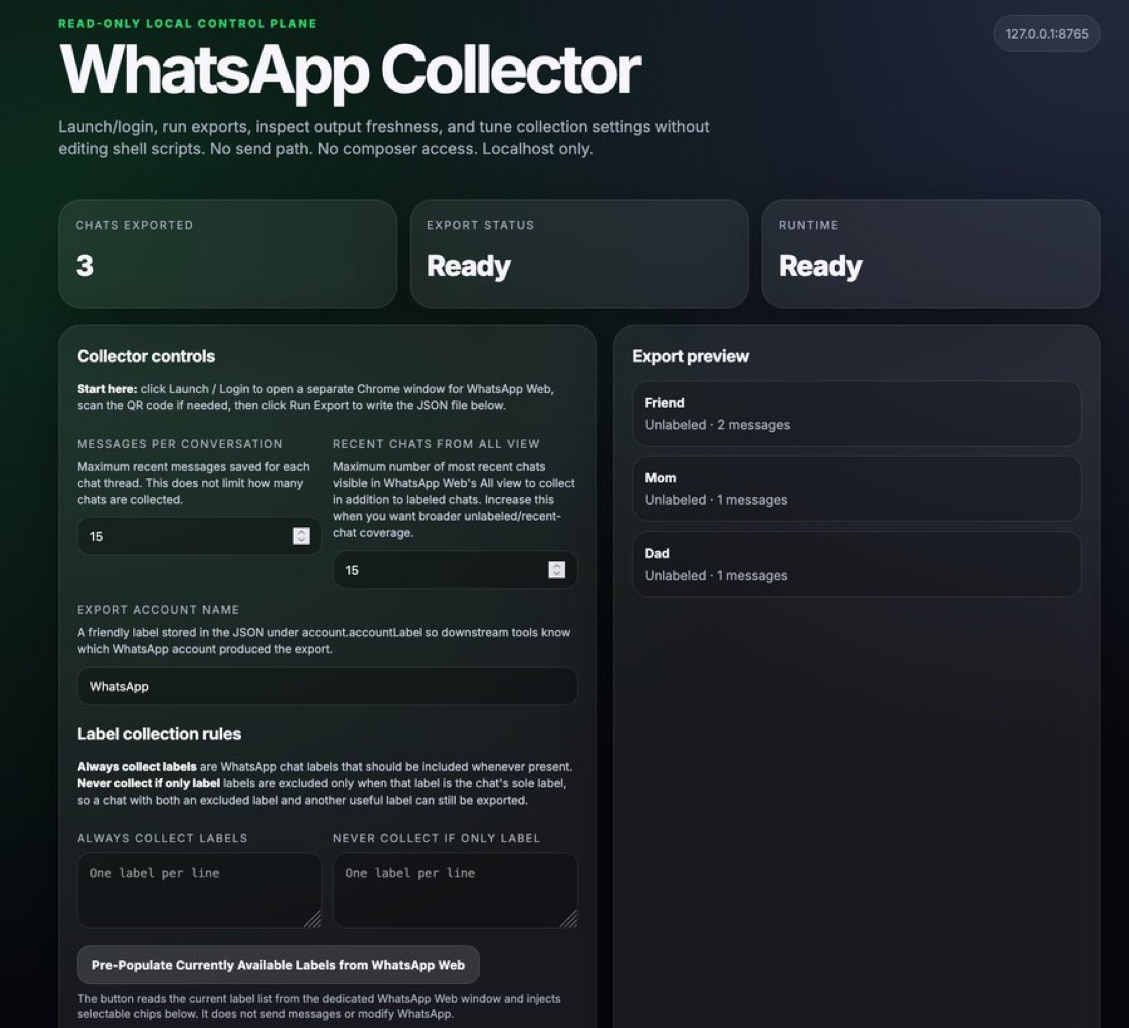
WhatsApp Collector turns an already logged-in WhatsApp Web or WhatsApp Business Web session into structured JSON exports. It is deliberately not a bot and not a sender: it does not type into WhatsApp, target the composer, click send, or create outbound messages.
The app provides a polished local web UI for login/setup, export runs, settings, freshness checks, label rules, status cards, export preview, and a copyable AI harness prompt that points an agent at the latest export file.
PennyScribe
Meeting recordings, diarized transcripts, and summaries in a native Mac app.
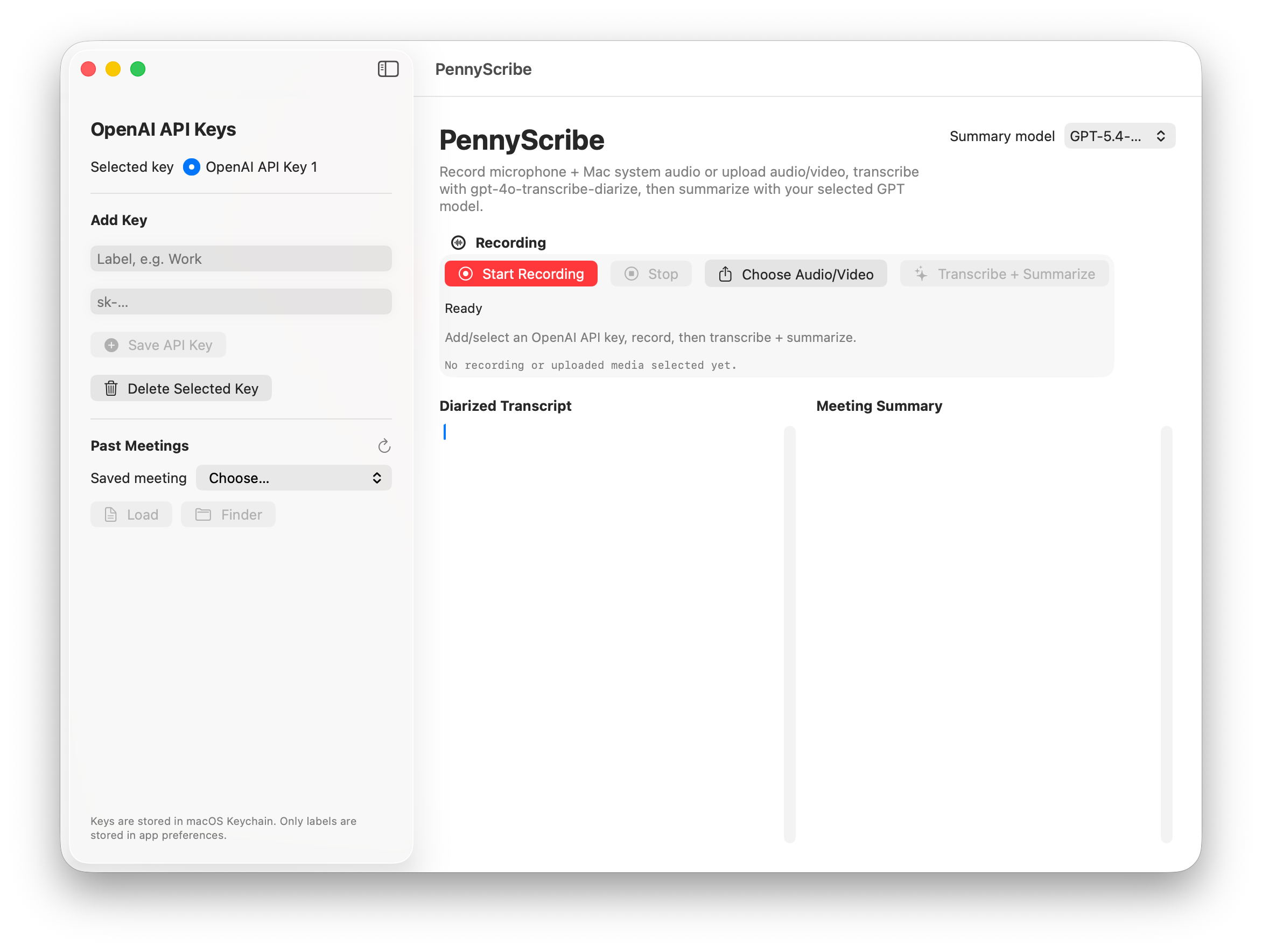
PennyScribe records microphone audio plus Mac system audio, imports existing audio or video files, transcribes meetings with automatic detection of individual speakers' voices, and produces detailed summaries with selectable models.
It stores multiple AI model API keys securely in macOS Keychain and saves timestamped recordings, transcripts, and summaries locally so past meetings can be reloaded later.
Can be run on private, locally-hosted AI models to provide maximum privacy for sensitive matters, to keep meeting notes from being processed by external online AI provider endpoints or ever touching the internet.
Pattern
Useful tools start with a narrow problem.
Both projects follow the same practical bias as the larger systems work: make the workflow inspectable, keep the operator in control, produce durable files or records, and design the interface around the real job rather than a generic demo.
Interfaces run on the user's machine or Mac environment with explicit, inspectable outputs.
WhatsApp Collector has no send path; PennyScribe stores keys in Keychain and records locally before API calls.
Exports, transcripts, and summaries are designed to feed downstream tools, agents, dashboards, and review workflows.